I want to share my complete guide on how to personalize products on Shopify. This can help you increase sales, get customers more involved, and make shopping feel special.
Shopping online used to be simple. You picked a product, chose a size or color, and checked out. Now, people want more. They like items that feel made just for them. Think about a phone case with your name on it or sneakers you design yourself. That feeling of having something unique is what product personalization gives.
Recent data shows that about 80% of shoppers are more likely to buy from brands that offer personalized experiences. Even better, 71% of customers expect companies to do this. It's not just a trend; it's now normal in online shopping.
As a Shopify store owner, product personalization opens up exciting options. You can let customers add their name to jewelry, pick custom colors for furniture, or design their own t-shirts. But how do you set it up? What tools do you need? And how does it help your store grow?
I'll explain everything you need to know about creating personalized shopping on Shopify.
What Product Personalization Means to Me
Product personalization lets customers change items before buying. Instead of getting a product as it is, they can make changes that matter to them.
For example, if I run a gift shop, without personalization, I sell plain mugs. With it, customers can add a name, date, or special quote. The mug turns from ordinary to a unique gift.
This works for many products. In a clothing store, customers pick fabrics. A jewelry shop offers engravings. A furniture store lets people choose wood finishes.
The difference between personalization and customization is clear. Customization means options like sizes or colors you already have. Personalization means the customer creates something unique during the order.
How It Works on Shopify
You don't need to be a tech expert to add personalization on Shopify. If you follow the basic steps, it's easy.
First, decide what customers can change, like text, colors, or images. Each has its own setup.
For simple text, like a name or message, Shopify has built-in tools. Add text boxes to product pages. Customers type what they want, and it shows as a note on the order.
For advanced options, like live previews or color pickers, use apps from the Shopify App Store. These let customers see their design before buying.
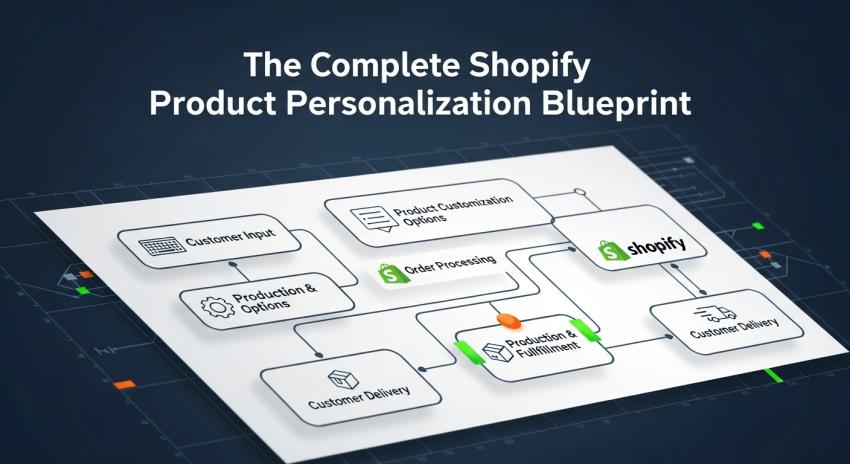
The process is like this: A customer visits your product page and clicks to personalize. They enter choices via text boxes, menus, or tools. The system saves it and adds it to the cart. When they check out, you get the order with details. You make the product and ship it.
Many apps handle hard parts. They create previews, adjust prices for extras, and organize requests.
Features of Personalization Tools
Good personalization tools make things easy for you and your customers.
Live Preview
Top tools show customers what their item looks like right away. If they add a name to a necklace, they see it. This avoids errors and builds trust.
Different Input Ways
Products need different options. Text fields for engravings, color samples for clothes, image uploads for phone cases, or blankets. Good apps support all.
Smart Logic
Tools can react to choices. If a customer picks "add monogram," new options appear for color and font. This keeps things simple, not overwhelming.
Price Changes
Extras like more engraving or better materials cost more. Tools calculate and update the cart total.
Order Handling
Tools summarize custom details clearly. No messy notes; everything is organized for production.
Mobile Friendly
Over 60% of shopping happens on phones. Tools must work well on small screens for typing, choosing, and previewing.
Benefits for Your Store
Adding personalization brings real advantages.
Higher Prices and Profits
Personalized items sell for more. Customers pay extra for unique products. A plain notebook might cost $10, but with a name, $15 or $20. Often, personalization costs little, so profits rise.
Studies show companies with personalization earn 40% more revenue. It's because prices are higher, and people are happy to pay.
Fewer Returns
Returns cost money in shipping and lost sales. Personalization cuts returns because customers think carefully about their design.
They feel attached to what they create, so less likely to send it back. This saves time and keeps everyone happy.
Better Customer Bonds
Personalization builds emotional ties. It feels special and joint. Customers remember brands that let them be creative or add personal touches.
This brings repeat business. If someone designs wedding invites with you, they'll return for baby cards. They trust you for big moments.
Stand Out
Many stores sell similar products. Personalization makes yours unique. In a crowded market, being different helps.
Data says 90% of top marketers see personalization boosting profits. It's key to growth.
Learn About Customers
Custom requests show what people like: popular colors, messages, and fonts. Use this to plan new products and marketing.
Picking the Right Personalization for Your Products
Not all products need the same level. Match it to what fits.
Simple Text
Good for jewelry, gifts, accessories, and stationery. Add names, dates, and messages. Easy to set up.
Design Choices
For clothing, home decor, and art. Customers mix patterns, colors, and layouts from your options.
Full Build
For complex items like custom computers or suits. Customers pick every part. Needs advanced tools, but works well.
Image Uploads
For photo items like mugs, blankets, and cases. Customers add their pictures. Check image quality for printing.
How to Start Personalizing Your Shopify Store
Pick products that fit, like gifts or items with options.
Go to the Shopify App Store. Search "Product Personalization." Read reviews and try free trials.
Start small: Choose one popular product.
Set rules: What can change? Limits on text length?
Show examples: Use photos of personalized items to inspire.
Price fairly: Check competitors, including your costs.
Test it: Place a fake order to check everything works.
Wrapping Up
This is my overview of product personalization on Shopify. I covered what it is, how it works, features, benefits, and how to start.
It meets customer needs and grows your business. Begin with one product, learn, and add more. With good tools, it's doable for anyone.
In 2025's fast market, personalization gives you an advantage. Aim for customers who feel valued and enjoy shopping. Use this guide to make that happen.