Staying organized is not always easy. Meetings, deadlines, team updates, and daily tasks can quickly pile up. The good news? You don’t always need to be sitting at your desk to keep everything on track.
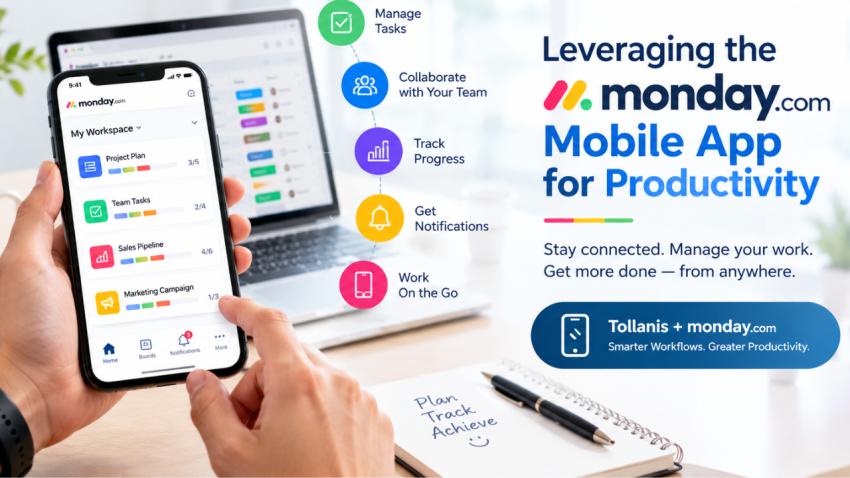
The monday mobile app helps you manage tasks, follow project progress, communicate with teammates, and stay updated while you’re on the go. Whether you’re working remotely, traveling, or moving between meetings, it puts your work right at your fingertips.
With support from Tollanis, businesses can explore how monday fits into their workflows and make better use of its features to improve productivity.
What Is the monday Mobile App?
The monday mobile app is the mobile version of the monday Work Management platform. It allows users to access their workspaces, boards, tasks, and updates from a smartphone or tablet.
Instead of waiting until you return to your computer, you can check project status, update task details, add comments, and keep your team informed from almost anywhere with an internet connection.
For teams that need flexibility, the app makes it easier to stay connected and keep work moving throughout the day.
How the monday Mobile App Improves Productivity
1. Manage Tasks Anytime, Anywhere
One of the biggest advantages of the monday mobile app is that you can manage tasks without being tied to your desk.
You can review assigned work, update task statuses, add notes, and check deadlines directly from your phone. If a task is completed while you’re away from the office, you can update it right away.
This helps reduce delays and keeps project information current.
Example: A project manager visiting a client can update task progress immediately instead of waiting until they get back to the office.
2. Stay Updated With Notifications
Missing an important update can lead to confusion and delays. The monday mobile app helps you stay informed through notifications about relevant activities, updates, and mentions.
These alerts can help you respond to important changes without constantly checking your computer.
However, too many notifications can become distracting. Setting up notifications thoughtfully helps you focus on what matters most.
3. Improve Team Communication
Good communication keeps projects moving. With monday, team members can share updates, add comments, and discuss work in the context of specific tasks.
The mobile app makes it easier to follow conversations and respond when action is needed. Team members can also keep track of important information without searching through long email threads.
This creates better visibility and helps everyone stay on the same page.
4. Track Project Progress in Real Time
When managing multiple projects, it can be difficult to know what is completed, what is delayed, and what needs attention.
The monday mobile app lets you check boards and task statuses while away from your desk. Depending on your workspace setup and permissions, you can review project information and make updates as needed.
Having access to current information helps managers identify potential issues sooner and make informed decisions.
5. Organize Your Daily Work
A busy schedule can make it easy to overlook small but important tasks. The monday mobile app helps you review assigned work and deadlines so you can plan your day more effectively.
You can check priorities, update tasks, and keep track of upcoming work from one place.
For better results, start your day by reviewing your tasks and identifying the two or three items that need your attention first. This simple habit can help you work with more focus.
6. Support Remote and Hybrid Teams
Remote and hybrid teams often work from different locations and schedules. Having a shared work management platform helps everyone stay connected to project information.
With the monday mobile app, employees can check updates, follow task progress, and contribute while away from their computers.
This flexibility can be especially useful for sales teams, field employees, consultants, and managers who spend much of their day outside the office.
Tips for Getting the Most Out of the monday Mobile App
Downloading the app is only the first step. A few simple practices can help you get more value from it.
Keep boards organized: Use clear task names, owners, deadlines, and statuses so information is easy to understand.
Prioritize notifications: Enable alerts that matter to your role and reduce unnecessary interruptions.
Update tasks promptly: Make changes when progress happens so teammates can rely on current information.
Review deadlines regularly: Check upcoming tasks to avoid last-minute surprises.
Use the right tools for each task: The mobile app is convenient for quick updates and reviews. For complex board setup, reporting, or detailed configuration, the desktop experience may be more suitable.
Protect work information: Use appropriate device security, strong authentication, and your organization's access policies.
These habits help turn the app into a practical productivity tool rather than another source of notifications.
How Tollanis Can Help Businesses Get More From monday
Having access to a work management platform is one thing. Using it effectively across a business is another.
Tollanis helps businesses make better use of monday by supporting the adoption and configuration of workflows that fit their needs. The right setup can help teams organize projects, clarify responsibilities, improve visibility, and reduce manual follow-ups.
For example, a business may use monday to manage sales activities, track project milestones, coordinate internal tasks, or monitor recurring processes. When these workflows are structured clearly, employees can spend less time searching for information and more time getting work done.
Tollanis can help organizations explore how monday supports their processes and how mobile access fits into their daily operations.
The goal is simple: make work easier to manage, improve collaboration, and help teams stay productive wherever they are.
Conclusion
The monday mobile app makes it easier to stay connected to your work without being tied to your desk. From managing daily tasks to tracking project progress and communicating with teammates, it offers a convenient way to keep work moving.
When combined with clear processes and consistent team habits, mobile access can support better organization and productivity.
Want to make monday work better for your business? Connect with Tollanis to explore solutions that help streamline workflows, improve collaboration, and support your team's productivity.