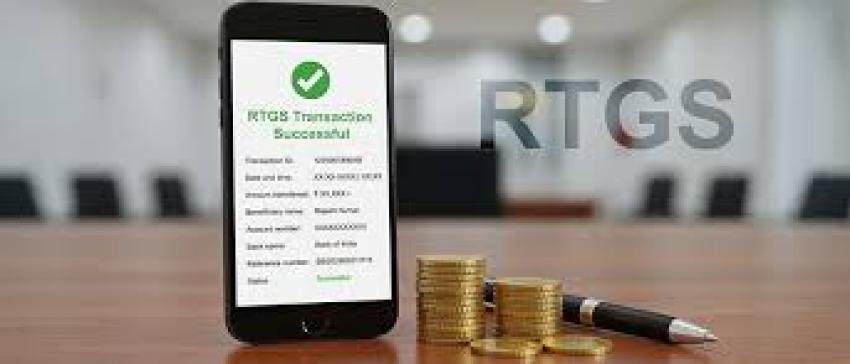
The Real-Time Gross Settlement (RTGS) system has revolutionised high-value money transfer in India, particularly for transactions involving property registrations. RTGS is the most preferred mode of transaction for fast and safe settlements as it processes transactions in real time and instantaneously. Bajaj Pay on the Bajaj Finserv App and website brings the convenience of RTGS payments to everyone with no fees, no convenience charges and a strong digital infrastructure to facilitate them. Knowing RTGS cut-off times is vital to avoid delays or even registrations being rejected.
What is RTGS and How Does Bajaj Pay Make It Easier?
RTGS (Real-Time Gross Settlement) is a fund transfer system which enables high-value transactions to be settled in real time. Payments are made final and processed immediately with no waiting time. It is usually employed by individuals and companies for sending large amounts of money, particularly when time is strictly limited, such as with real estate registration. Although RTGS transactions can be made 24 hours a day, there are cut-off times that both parties should be mindful of.
With no hidden charges or fees, and a secure and reliable platform, Bajaj Pay makes the RTGS transfer process easy. Users can seamlessly carry out RTGS transfers on the Bajaj Finserv App or Bajaj Pay website. Bajaj Pay is an RBI-regulated and BBPS-certified platform, meaning you can have a secure and hassle-free RTGS transfer without the need to visit a bank branch. The digital infrastructure allows for several payment channels including net banking, debit card, credit card, and UPI.
Key Features of RTGS on Bajaj Pay
BBPS & RBI Approved Platform: Bajaj Pay is approved by BBPS and RBI, providing a secure and automated infrastructure.
Zero Convenience Fees: There are no convenience charges for all RTGS transfers made via Bajaj Pay.
Multi-Channel Access: RTGS transfers can be done on the Bajaj Finserv App or on the website.
Flexible Payment Options: UPI, net banking, credit cards, and debit cards are all supported for maximum convenience.
Immediate Payment Confirmation: Bajaj Pay sends out instant digital receipts for completed transactions, downloadable for future reference.
Round-the-Clock Availability: Users can make RTGS transfers anytime as Bajaj Pay facilitates it around the clock.
End-to-End Encryption: All payments are secure with real-time status updates.
Top 5 Banks for RTGS Transfers on Bajaj Pay
The following banks offer the best RTGS transfer experience on Bajaj Pay:
1. State Bank of India (SBI)
Service: High-value RTGS transactions with pan-India coverage.
Coverage: Easily accessible accounts nationwide.
Special Feature: Large network of branches and ATMs with reliable service.
2. HDFC Bank
Service: Retail and corporate RTGS transfers.
Coverage: Both urban and rural areas.
Special Feature: Scheduled payments and speedy internet banking processing.
3. ICICI Bank
Service: Personal and property-related payment transactions.
Coverage: Pan-India with global banking support.
Special Feature: Enhanced digital banking experience for RTGS users.
4. Punjab National Bank (PNB)
Service: Priority financial services including RTGS.
Coverage: Metro cities and small towns.
Special Feature: Simplified RTGS transactions alongside NEFT and UPI.
5. Axis Bank
Service: High-value RTGS payment scheme.
Coverage: Nationwide with customised corporate banking services.
Special Feature: Excellent integration with digital wallets for easy transfers.
Tips Before Making an RTGS Transfer
Keep the following in mind to ensure a hassle-free RTGS transfer:
Check RTGS cut-off time: RTGS transactions are available at specific timings as per the banks. Missing the cut-off may cause payment delays.
Verify account information: Always double-check the beneficiary account number, IFSC code, and bank details before confirming a payment.
Make property transactions early: Account for processing times and ensure RTGS payments are made well before the cut-off time.
Check network stability: Ensure a stable internet connection to prevent transaction interruptions.
Keep electronic receipts: Save your RTGS receipt for record-keeping and verification during property registrations.
Use auto pay: For frequent high-value or regular payments, use auto pay to ensure timely transfers.
Compare bank charges: Bajaj Pay does not charge for RTGS transfers, but verify if your bank levies any fees.
Benefits of Paying Through Bajaj Pay
No Fees or Charges: Unlike traditional banking, Bajaj Pay allows RTGS payments without any hidden charges or convenience fees.
Rewards and Offers: With every RTGS transaction on Bajaj Pay, users earn rewards and can take advantage of special cashback offers.
Secure and Trusted Platform: Bajaj Pay is BBPS-certified and backed by Bajaj Finserv's robust infrastructure with end-to-end encryption.
One-Stop Solution: Handle RTGS transfers, bill payments, FASTag recharges, and money transfers all from one convenient app or website.
Instant Confirmations: All RTGS transactions are confirmed instantly with downloadable digital receipts for easy record-keeping.
How to Make an RTGS Payment via Bajaj Finserv App
Making an RTGS payment using Bajaj Pay is quick and simple. Follow these steps:
Step 1: Download the App — Install the Bajaj Finserv App on your smartphone or visit the Bajaj Pay website on your browser.
Step 2: Log In — Sign in with your registered mobile number, or register a new account if you are a first-time user.
Step 3: Go to Money Transfer — From the home screen, navigate to the Money Transfer section.
Step 4: Enter Beneficiary Details — Click on RTGS transfer and enter the beneficiary's account number, IFSC code, and other required details.
Step 5: Enter Amount — Input the transfer amount and carefully verify all entered information.
Step 6: Select Payment Mode — Choose your preferred payment option: UPI, net banking, debit card, or credit card.
Step 7: Confirm and Save Receipt — Confirm the transaction and save the electronic receipt issued for future reference.
Conclusion
RTGS payments are basically the go-to for high value transactions, especially when property registrations need funds moved right away. If you don’t know the RTGS cut-off times, the whole registration can get stuck, or sometimes it even gets cancelled, so it matters a lot. With Bajaj Pay , RTGS transfers feel smooth, secure, and free from charges. You also get rewards, instant confirmation, and quite a wide range of payment options too. So yeah Bajaj Pay is like a one stop solution for all your financial requirements. Download the Bajaj Finserv App or just check out the Bajaj Pay website today, and do your RTGS transfer without the usual hassle!