When selecting a CCTV camera, most people focus on resolution, storage, and night vision. However, one crucial factor that often goes unnoticed is frame rate. Frame rate plays a vital role in determining how smooth and detailed your video footage appears, directly impacting the effectiveness of your security system.
But does frame rate really affect security? The short answer is yes—significantly. In this blog, we’ll explore what frame rate means, how it influences surveillance quality, and how to choose the right frame rate for your specific needs.
What Is Frame Rate in CCTV Cameras?
Frame rate, often measured in frames per second (FPS), refers to the number of individual images a camera captures and displays every second. For example, a camera with 30 FPS records 30 frames in one second, creating smooth and fluid motion.
Lower frame rates, such as 10 or 15 FPS, capture fewer images per second, resulting in less smooth footage. While this may still be usable, it can miss important details during fast-moving events.
Why Frame Rate Matters in Security
Frame rate directly affects how well your CCTV system captures motion. In security scenarios, missing even a fraction of a second can result in lost details that may be critical for identification or evidence.
Smooth Motion Capture
Higher frame rates produce smoother video, making it easier to track movement. This is especially important in areas with frequent activity, such as entrances or parking spaces.
Better Identification
When footage is smooth, it becomes easier to identify faces, license plates, or suspicious actions. Low frame rates may cause motion blur, making it difficult to recognize key details.
Accurate Event Recording
In incidents like theft or intrusion, every second counts. A higher FPS ensures that no critical moment is skipped.
Common Frame Rate Options
CCTV cameras typically offer a range of frame rate settings depending on their design and purpose.
10–15 FPS: Basic monitoring with minimal motion
20–25 FPS: Balanced performance and storage efficiency
30 FPS or higher: Smooth, real-time video for high-security areas
Most modern outdoor-security cameras provide flexible frame rate settings, allowing users to adjust based on their environment and needs.
Frame Rate vs Resolution
Frame rate and resolution are often confused, but they serve different purposes.
Resolution determines how clear and detailed the image is
Frame rate determines how smooth the motion appears
A camera with high resolution but low frame rate may produce sharp images, but moving objects can appear choppy. On the other hand, a high frame rate with low resolution may look smooth but lack detail.
The ideal setup balances both factors for optimal performance.
How Frame Rate Affects Storage
Higher frame rates generate more data, which means increased storage requirements.
For example:
A camera recording at 30 FPS will consume more storage than one at 15 FPS
Continuous recording at high FPS can quickly fill up storage devices
This is particularly important for systems using battery-powered devices like the Smart Home Battery Camera, where efficiency is a key concern.
To manage storage effectively, many users combine moderate frame rates with motion detection features, ensuring that recording occurs only when needed.
Impact on Bandwidth Usage
Frame rate also affects how much bandwidth your system uses, especially for remote viewing.
Higher FPS means:
More data being transmitted
Increased load on your network
Potential lag if bandwidth is limited
For homes with standard internet connections, balancing frame rate with network capacity is essential to maintain smooth live streaming.
Ideal Frame Rate for Different Scenarios
Choosing the right frame rate depends on where and how your cameras are used.
Low-Activity Areas
For spaces like storage rooms or backyards with minimal movement, a lower frame rate (10–15 FPS) is usually sufficient.
Moderate-Activity Areas
Areas such as living rooms or small offices benefit from 20–25 FPS, offering a good balance between smoothness and storage efficiency.
High-Activity or High-Security Areas
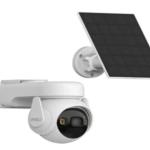
Entrances, driveways, and public-facing areas require higher frame rates (25–30 FPS) to capture fast motion clearly. Cameras like the CB5 4K Smart Home Solar are well-suited for such environments, combining high resolution with efficient performance.
Frame Rate and Night Vision
Frame rate becomes even more important in low-light conditions. At night, cameras often reduce frame rate to allow more light into each frame, improving image brightness.
However, this can result in slightly less smooth footage. Advanced cameras manage this balance effectively, ensuring both clarity and usability in dark environments.
Does Higher Frame Rate Always Mean Better Security?
While higher frame rates offer clear advantages, they are not always necessary for every situation.
When High FPS Is Beneficial
Monitoring fast-moving objects
Capturing detailed evidence
High-traffic areas
When Lower FPS Is Enough
Static environments
Budget-conscious setups
Long-term storage requirements
The key is to match the frame rate with your specific security needs rather than simply choosing the highest available option.
Smart Features and Frame Rate Optimization
Modern CCTV systems use intelligent features to optimize frame rate automatically.
These include:
Motion-triggered recording
Adaptive frame rate adjustments
AI-based activity detection
Such features allow cameras to increase FPS during important events and reduce it during inactivity, saving both storage and energy.
This is particularly useful for solar-powered systems like the CB5 4K Smart Home Solar, where efficiency plays a critical role.
Common Mistakes to Avoid
When configuring frame rate settings, users often make a few common mistakes:
Setting FPS Too Low
This can result in choppy footage and missed details, especially in active areas.
Setting FPS Too High Everywhere
Using maximum frame rate for all cameras can lead to excessive storage usage and network strain.
Ignoring Camera Purpose
Each camera should be configured based on its location and role within the security system.
Tips for Optimizing Frame Rate
To get the best performance from your CCTV system:
Adjust FPS based on activity level
Combine frame rate with motion detection
Monitor storage and bandwidth usage
Test different settings for optimal results
By fine-tuning your setup, you can achieve a balance between performance and efficiency.