

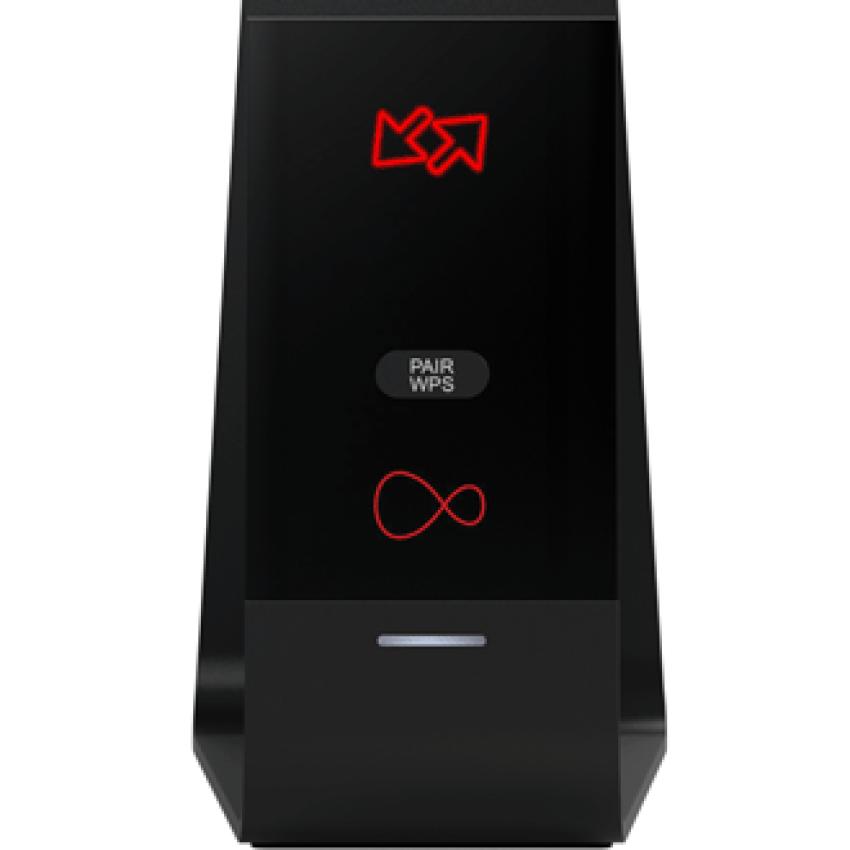
There’s something deeply unsettling about seeing your Virgin hub flashing red light. You expect a steady white or green light, but you get a flickering red signal that affects the Wi-Fi at the worst moment. When you try to attend a business meeting or watch your favorite program, that flashing light appears irresistible.
But here’s the good news: this problem is rarely as dramatic as it looks. That blinking red is your hub’s way of telling you that something’s wrong, but in most cases, it’s something you can fix without much hassle. Over the years, we’ve seen this issue crop up in countless homes, and the solution is often simpler than you’d expect.
Why Your Hub Is Flashing Red
When your hub flashes red, it’s essentially signalling distress. The Virgin media hub lights are a simple communication system, and that red glow means your connection is either unstable, interrupted, or the hub itself is experiencing a hardware or software hiccup.
We’ve seen this happen for all sorts of reasons: after sudden power cuts, during local service maintenance, or because the hub is tucked into a corner with little ventilation, overheating quietly while you wonder why the Wi-Fi’s gone. A flashing red light doesn’t always mean your hub is broken — it’s more like your car’s check engine light: a warning that something needs your attention.
Start With the Environment
One of the most common issues we’ve come across is poor placement. If your hub is sitting behind the television or crammed between a console and books, it’s likely overheating. These devices are more sensitive to heat than many realise.
We always recommend checking if the hub feels warmer than usual. If it does, unplug it and let it cool off for a while. Moving it to an open, airy spot often makes a world of difference. We’ve seen hubs that refused to connect suddenly come back to life simply because they were moved off a crowded shelf.
Power Glitches Are Common
Power cuts and voltage fluctuations can easily throw your hub off balance. We recommend a power cycle first. Turn off, disconnect, and wait two minutes before turning on the hub. Imagine a soft reset for your home network.
Routers and hubs, after all, are like mini-computers. They sometimes need a reboot to clear out minor software bugs. More often than not, this alone resolves the flashing red light.
Checking Behind the Scenes
If restarting doesn’t help, you can learn a lot by signing in through the Virgin media hub login panel. This interface offers a behind-the-scenes view of what’s happening. You can see if the hub is detecting a signal, if there are error codes, or whether a firmware update is stuck midway.
We’ve seen situations where the hub appeared “dead,” but a quick login revealed that an update was frozen. Restarting it from the panel fixed everything within minutes. While many people only use this interface to change their Wi-Fi name or password, it’s a powerful troubleshooting tool when your hub starts acting up.
Real-Life Fixes We’ve Seen
The flashing red light is often caused by something small and easy to miss. Once, a client’s hub wouldn’t stop blinking red because the coaxial cable running to their wall socket had a tiny crack near the connector. Replacing the cable restored their connection instantly.
In another case, a hub was plugged into a power strip that was so overloaded, it was cutting power for milliseconds every time a nearby lamp was switched on. Those tiny power dips were enough to knock the hub into a loop. Moving it to its own socket stopped the issue entirely.
These experiences taught us to never underestimate the importance of good-quality cables and stable power.
Sometimes It’s Not You
If everything seems fine on your end, there’s a good chance the problem is outside your control. Broadband providers often perform regional maintenance that can leave your hub blinking red for hours. Before you start pulling your setup apart, give it some time. Service disruptions are more common than most people think, and they’re often resolved within a day.
If the flashing continues, contact for help. Provide specifics like when the problem began, what troubleshooting procedures you've taken, and any login page error codes. This information helps technical staff find the issue fast.
Building Habits to Avoid Future Problems
We've found that minor routines may prevent stress. Avoid stacking devices near your hub and keep it visible. To maintain its software, restart it sometimes, even while it's operating great. Check the login panel frequently for changes and connection quality.
These steps might feel minor, but they help your hub run more reliably and prevent those late-night panics when the lights start flashing.
Keeping Calm When the Light Turns Red
The key takeaway is simple: a Virgin hub flashing red light is rarely a sign of disaster. It’s your hub’s way of saying, “Something’s off.” More often than not, the fix is straightforward — from a reboot to swapping a cable or giving the device some space to breathe. Support should be consulted when the issue is too huge to address. Hubs are not different from techs, therefore, they may need to be replaced.
With some information and a calm attitude, these situations are more like an annoyance than a catastrophe. When you understand what your Virgin Media hub lights mean, troubleshooting is easier and your connection will be restored soon.



