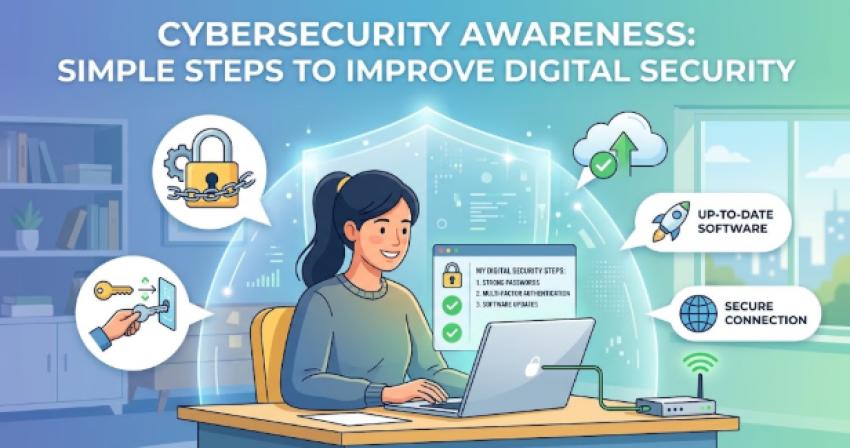
In an increasingly connected world, protecting your digital identity and personal information is as vital as securing your physical home. Cyber threats are constantly evolving, growing more sophisticated, and targeting individuals and organizations alike. However, achieving robust online security does not require advanced technical degrees or costly software solutions. By adopting fundamental digital habits and remaining vigilant, you can significantly mitigate risk and build a resilient line of defense against cyberattacks.
1. Master the Power of Strong and Unique Passwords
Passwords remain the primary line of defense for most online accounts. Using weak, predictable, or repeated passwords across multiple platforms dramatically increases vulnerability to credential stuffing attacks, where hackers use leaked credentials from one site to gain access to others.
Avoid Common Predictable Words: Steer clear of obvious choices such as birthdates names consecutive numbers or common terms like password123.
Utilize Passphrases: Combine four or more random, unrelated words to create a long, memorable, and complex secret, such as Purple Coffee Bicycle Rain. Length often provides greater cybersecurity awareness against brute-force attacks than simple complexity.
Implement Unique Passwords for Every Account: Ensure each sensitive service, especially email, online banking, and social media platforms, uses a distinct password.
Adopt a Credible Password Manager: Relying on a dedicated password manager allows you to generate and store complex, unique passwords securely behind a single master key, eliminating the need to memorize dozens of login details.
2. Enable Multi-Factor Authentication Across All Accounts
Multi-Factor Authentication adds an indispensable layer of security beyond a traditional password. By requiring two or more distinct verification factors before granting access, MFA prevents unauthorized logins even if an attacker manages to compromise your primary password.
Prioritize Authenticator Apps: Choose authenticator apps or physical hardware security keys over traditional SMS based verification whenever possible, as text messages can be intercepted through SIM-swapping attacks.
Mandate MFA for High-Priority Accounts: Focus first on securing primary email addresses, financial portals, cloud storage repositories, and personal password management applications.
Keep Backup Recovery Codes Safe: Store offline recovery codes provided during MFA setup in a secure physical location to ensure access is not lost if a primary mobile device is replaced or misplaced.
3. Recognize and Avoid Phishing and Social Engineering Tactics
Phishing remains one of the most effective methods cybercriminals use to trick individuals into handing over confidential data or installing malicious software. Social engineering relies on manipulation, urgency, and deceit rather than technical exploits.
Verify Sender Identities Carefully: Inspect email address headers and domain names closely for subtle typos, added characters, or unusual domain extensions masquerading as legitimate brands.
Be Skeptical of Excessive Urgency: Treat unexpected communications demanding immediate action, threatening account suspension, or offering unsolicited financial rewards with extreme caution.
Avoid Clicking Direct Links in Suspicious Messages: Navigate directly to official websites by typing the verified URL directly into your web browser or using bookmarked links rather than clicking embedded email buttons.
Inspect Attachments Before Downloading: Refrain from opening unexpected email attachments, particularly compressed files or document types that request macro execution upon opening.
4. Keep Operating Systems and Applications Regularly Updated
Outdated software frequently contains hidden security vulnerabilities that attackers systematically exploit. Device manufacturers and software developers regularly issue updates designed specifically to patch these security loopholes.
Turn On Automatic System Updates: Configure operating systems across laptops, smartphones, and tablets to download and install security updates automatically.
Update Third-Party Software and Extensions: Keep web browsers, active browser extensions, productivity applications, and media players current. Remove unused software entirely to minimize your overall attack surface.
Maintain Network Device Firmware: Regularly check for updates on home Wi-Fi routers and connected smart devices to secure the foundational access point of your home network.
5. Secure Home Wi-Fi Networks and IoT Smart Devices
Your home network connects every device in your household. Leaving a home router unconfigured or using weak default credentials exposes all connected devices to potential intrusion.
Change Default Credentials Immediately: Modify factory default administrator usernames and passwords on your home router as soon as it is set up.
Enable Modern Wireless Encryption: Ensure wireless network security settings are configured to use modern protocols like WPA2-AES or WPA3 encryption.
Establish a Dedicated Guest Network: Isolate smart home devices such as smart appliances, smart TVs, and connected security cameras on a secondary guest network to prevent a compromised appliance from providing access to primary laptops or phones.
Disable Remote Router Administration: Turn off management features that allow access to the configuration settings of the router from outside your local home network.
6. Exercise Caution on Public Wi-Fi Networks
Free public Wi-Fi networks in coffee shops, airports, and hotels offer convenience, but they often lack essential security configurations, leaving user traffic vulnerable to interception on local networks.
Employ a Virtual Private Network: Use a trusted, reputable VPN service when connecting to public Wi-Fi networks to encrypt all data transmitted between your device and the internet.
Disable Automatic Re-Connection: Turn off settings on mobile devices that automatically connect to open or known public Wi-Fi hotspots without prompting.
Avoid Accessing Sensitive Financial Data: Postpone accessing online banking, sensitive corporate accounts, or making online purchases with payment cards until you are connected to a trusted, secure network.
Confirm Network Legitimacy: Double-check the exact network name with staff members before connecting to prevent linking to malicious hotspots set up by bad actors.
7. Establish Consistent Data Backup and Recovery Habits
Despite taking every proactive measure, hardware failures, physical loss, or ransomware infections can still occur. Maintaining recent, verified backups ensures critical personal and professional data can be recovered swiftly without paying a ransom or suffering permanent loss.
Follow the 3-2-1 Backup Strategy: Maintain three copies of your important data on two different media types, with at least one copy stored securely off site or in the cloud.
Automate Cloud Backups: Utilize reputable encrypted cloud storage solutions to continuously back up essential files, photographs and critical personal documents without relying on manual intervention.
Disconnect External Drive Backups: Unplug physical external backup drives from your primary system once a backup completes to prevent ransomware from encrypting connected backup media.
Test Data Restoration Periodically: Run routine restoration checks to verify that backup files are uncorrupted, complete, and readily accessible when needed.
Building a Culture of Lifelong Cybersecurity Awareness
Cybersecurity is not a one time setup it is an ongoing practice that evolves alongside modern technology. By understanding common threat vectors and adopting proactive security habits such as using strong passphrases, enabling multi-factor authentication, recognizing social engineering attempts, and keeping systems updated you create an effective layered defense that protects your personal identity, private data, and financial security across all digital platforms.