

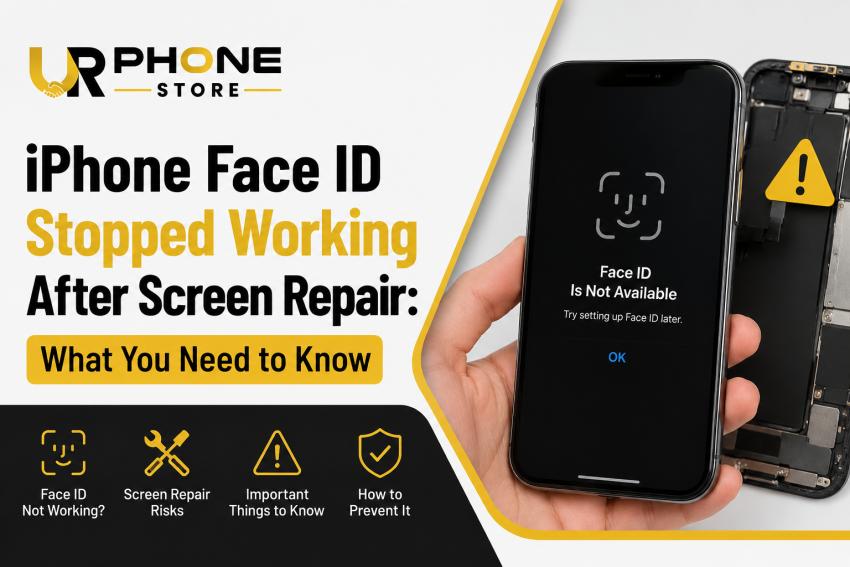
Face ID has become one of the most convenient features on modern iPhones. From unlocking your device to authorizing payments and logging into apps, it plays an important role in everyday use. So, it can be frustrating when Face ID suddenly stops working after a screen repair.
While it may seem like the screen replacement caused permanent damage, that isn't always the case. Several factors can affect Face ID functionality, and understanding the root cause can help you determine the next step.
In this guide, we'll explain why Face ID may stop working after an iPhone screen repair, how to troubleshoot the issue, and when professional assistance is the best option.
Why Does Face ID Stop Working After a Screen Repair?
Face ID relies on Apple's sophisticated TrueDepth camera system, which includes multiple sensors working together. These components are extremely sensitive and require precise alignment.
Even if the replacement screen appears to function perfectly, Face ID can fail if any of the following occurs:
The TrueDepth camera was accidentally damaged during repair.
The front sensor assembly wasn't transferred correctly.
Internal flex cables became disconnected or damaged.
An incompatible or low-quality replacement screen was installed.
The repair process affected the calibration of Face ID components.
Since Face ID is securely paired to your iPhone's logic board, replacing certain parts without the proper equipment can disable the feature.
Common Signs of Face ID Problems
If Face ID isn't functioning properly after a repair, you may notice symptoms such as:
"Face ID Not Available" message.
Unable to complete Face ID setup.
Face ID works inconsistently.
The front camera works, but Face ID doesn't recognize your face.
Authentication fails even in good lighting.
Recognizing these signs can help narrow down the possible cause.
Can You Fix It Yourself?
Some Face ID issues are software-related and may be resolved with simple troubleshooting.
1. Restart Your iPhone
A restart can resolve temporary software glitches affecting Face ID.
2. Check for iOS Updates
Apple occasionally releases updates that improve system stability and fix bugs.
3. Reset Face ID
Go to Settings > Face ID & Passcode.
Tap Reset Face ID.
Set it up again by following the on-screen instructions.
If setup cannot be completed, the issue is likely hardware-related.
4. Inspect the Front Camera Area
Remove any thick screen protectors or dirty cases that may obstruct the front sensors. Clean the top portion of the display using a microfiber cloth.
Hardware Issues That Require Professional Repair
If troubleshooting doesn't solve the problem, hardware damage may be responsible.
Possible causes include:
Damaged TrueDepth Camera
The TrueDepth camera system is delicate. Even minor damage during screen replacement can prevent Face ID from working.
Disconnected Flex Cables
Internal connectors can loosen during repairs, causing communication failures between components.
Incorrect Screen Installation
Improper alignment may interfere with the positioning of Face ID sensors.
Low-Quality Replacement Parts
Some aftermarket displays do not provide the same fit and sensor compatibility as high-quality replacements.
Why Professional Screen Repairs Matter
Many users focus only on replacing a cracked display, but preserving Face ID requires careful handling of the internal components.
Experienced technicians understand how to safely remove, transfer, and reconnect sensitive hardware without affecting biometric security.
If you're researching reliable repair options online, you may even come across searches like fix phone screen Orlando Florida, but regardless of location, it's always worth choosing a repair provider with experience handling Face ID-equipped iPhones.
Can Apple Restore Face ID?
In many cases, yes—but it depends on the extent of the damage.
If the original Face ID components remain intact, authorized technicians may be able to restore functionality. However, if critical components within the TrueDepth system have been physically damaged, repair options become much more limited because Apple pairs these components with each individual device.
How to Prevent Face ID Issues During Future Repairs
To reduce the risk of Face ID problems:
Choose an experienced repair technician.
Ask about the quality of replacement screens being used.
Avoid the cheapest repair options if quality is uncertain.
Test Face ID before leaving the repair shop.
Use a protective case and tempered glass to minimize future screen damage.
Frequently Asked Questions
Can replacing an iPhone screen disable Face ID?
Yes. If the repair affects the TrueDepth camera system or related components, Face ID may stop working.
Does every screen replacement cause Face ID problems?
No. A properly performed repair using quality parts should preserve Face ID functionality.
Can software updates fix Face ID after screen repair?
Only if the issue is software-related. Hardware damage requires professional diagnosis.
Is Face ID connected to the display itself?
Not directly. Face ID depends on the TrueDepth camera system located near the front camera, but improper screen installation can affect these components.
Should I repair Face ID immediately?
Yes. Delaying repairs may make diagnosing the issue more difficult if additional problems develop over time.
Final Thoughts
Face ID is one of the most advanced security features on the iPhone, but it also depends on delicate hardware working perfectly together. If Face ID stops functioning after a screen repair, don't assume the device is beyond repair. Start with basic troubleshooting, inspect for obvious issues, and seek professional help if necessary.
Most importantly, choosing a qualified repair technician from the beginning can significantly reduce the chances of encountering Face ID problems after a screen replacement. A careful repair not only restores your display but also helps preserve the advanced features that make your iPhone convenient and secure.


